
Damson

Weight and waist

Your own measurements, on one chart.

Note a weight or a waist when you want one and see your own measurements drawn over the weeks, kept beside your meals and cycle and ready for your appointment.

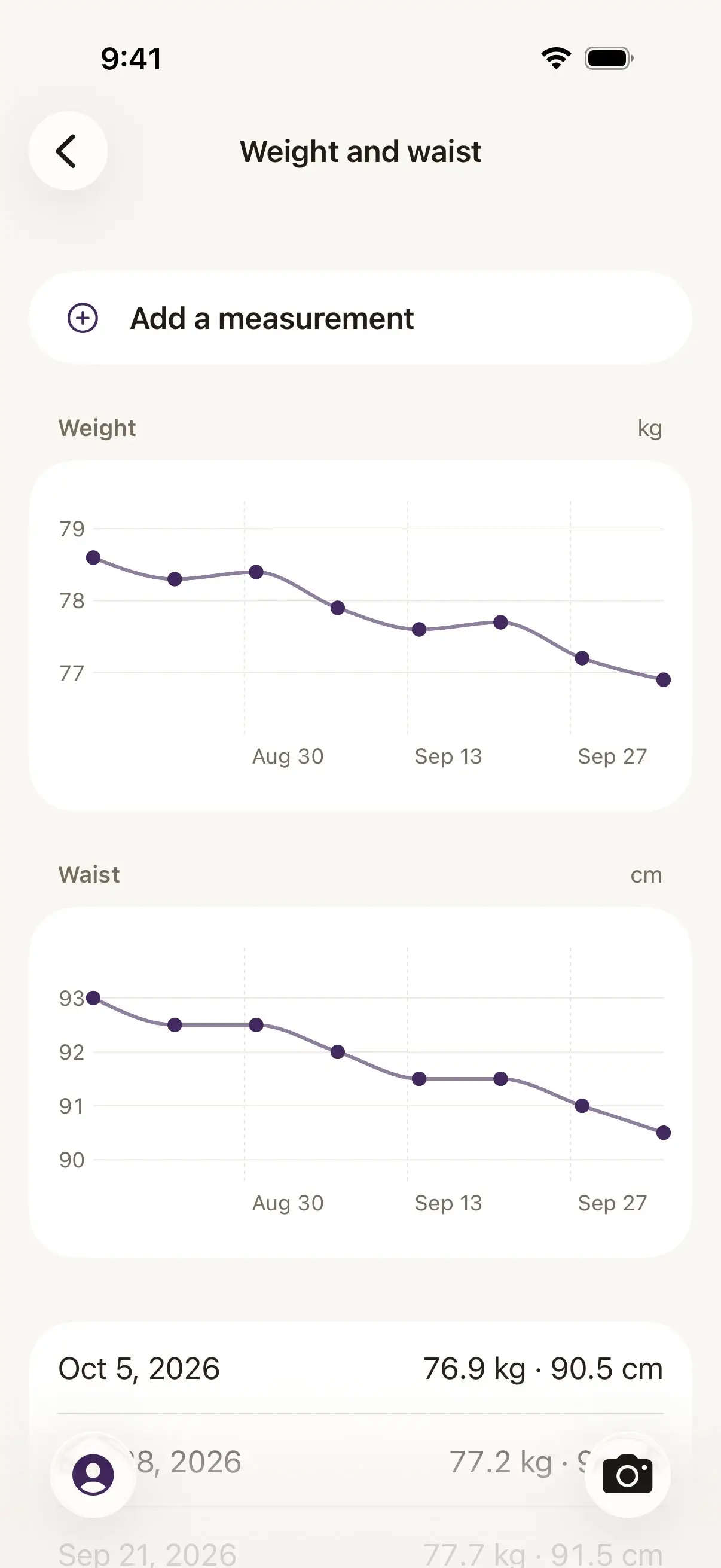
Damson's Weight and waist screen with an Add a measurement button. A weight chart in kg runs from about 79 to 77 between Aug 30 and Sep 27, a waist chart in cm from 93 to 90, and the entries below start with Oct 5, 2026: 76.9 kg and 90.5 cm.

Real screens from the app, some with demo data.

Damson is on the App Store.

Free to download, and the record is free to keep. No ads, and nothing to cancel later that you did not choose.

How do I log my weight and waist?

From You, open Weight and waist and tap Add a measurement. Type a weight, a waist, or both, in kilograms or pounds and centimetres or inches, and it joins the chart with its date. Add a measurement when you want one, whether that is once a week or once a season, and the chart draws what you noted.

With PCOS, now also called PMOS, weight comes up at almost every appointment, and it is easier to talk about from a chart of your own numbers than from a guess. The waist line sits next to the weight line, because the two often tell slightly different stories and both are yours.
What does my clinician see?

Whatever you choose to include. The appointment page can carry a Weight and waist section with your first and latest measurements in the period it covers, each with its date, right under your cycle, symptoms, meals and medicines. One page, in your own numbers, so the conversation starts from what happened.

The page is built on your phone and you see it exactly as it will be shared before you share it, so you decide who reads it and when.

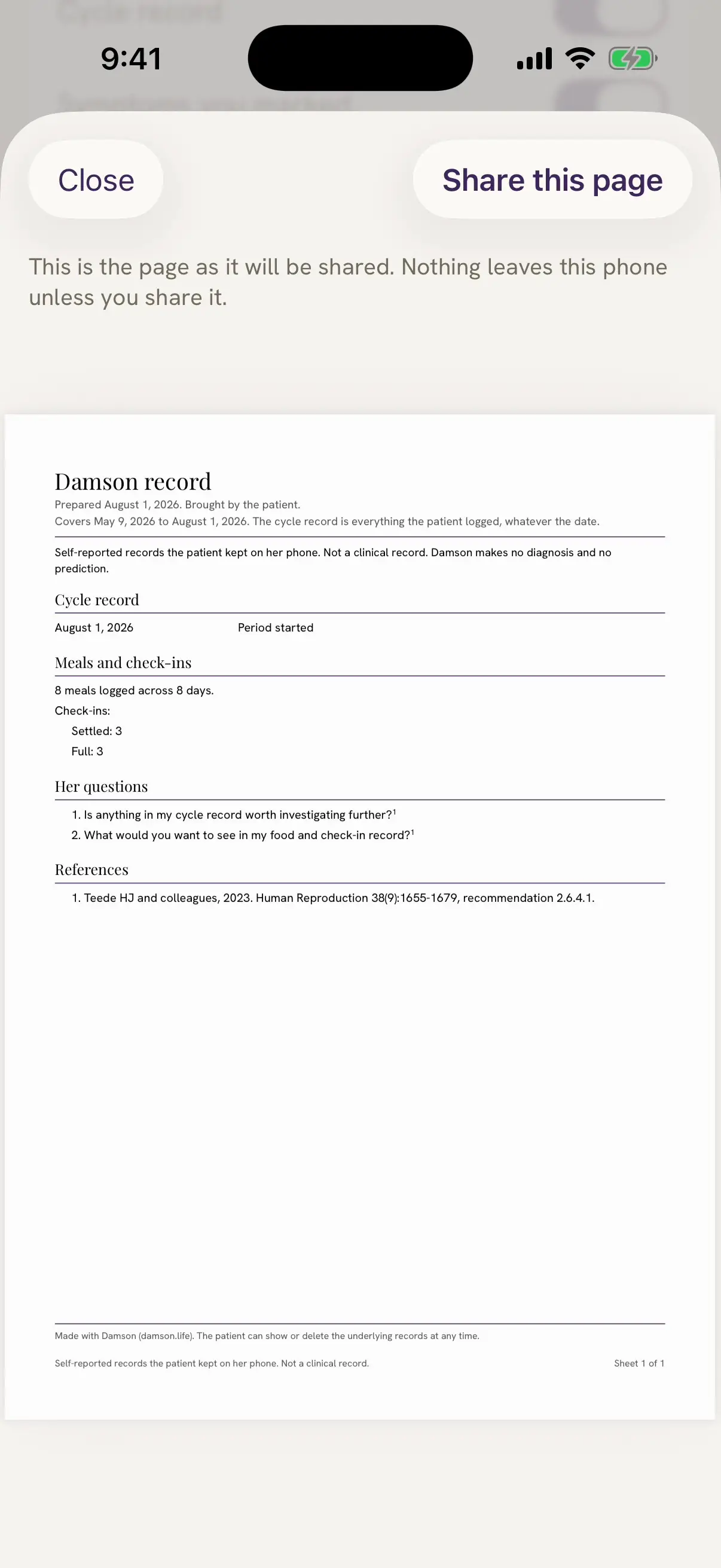
Damson's appointment page shown as it will be shared, with a Share this page button. The Damson record page lists the cycle record, the symptoms she marked, meals and check-ins, the medicines she told Damson about, and at the bottom a Weight and waist section.

Does it work with Apple Health?

If you like. Switch on Save weight to Apple Health on the weight screen and each weight you note is written there too, so it is in the same place as the rest of your health data. The same switch lets Damson show the weights Apple Health already holds, labelled as from Apple Health, beside your own entries.

Your measurements live on your iPhone and sync to your own iCloud, and the weight log is free, for good.

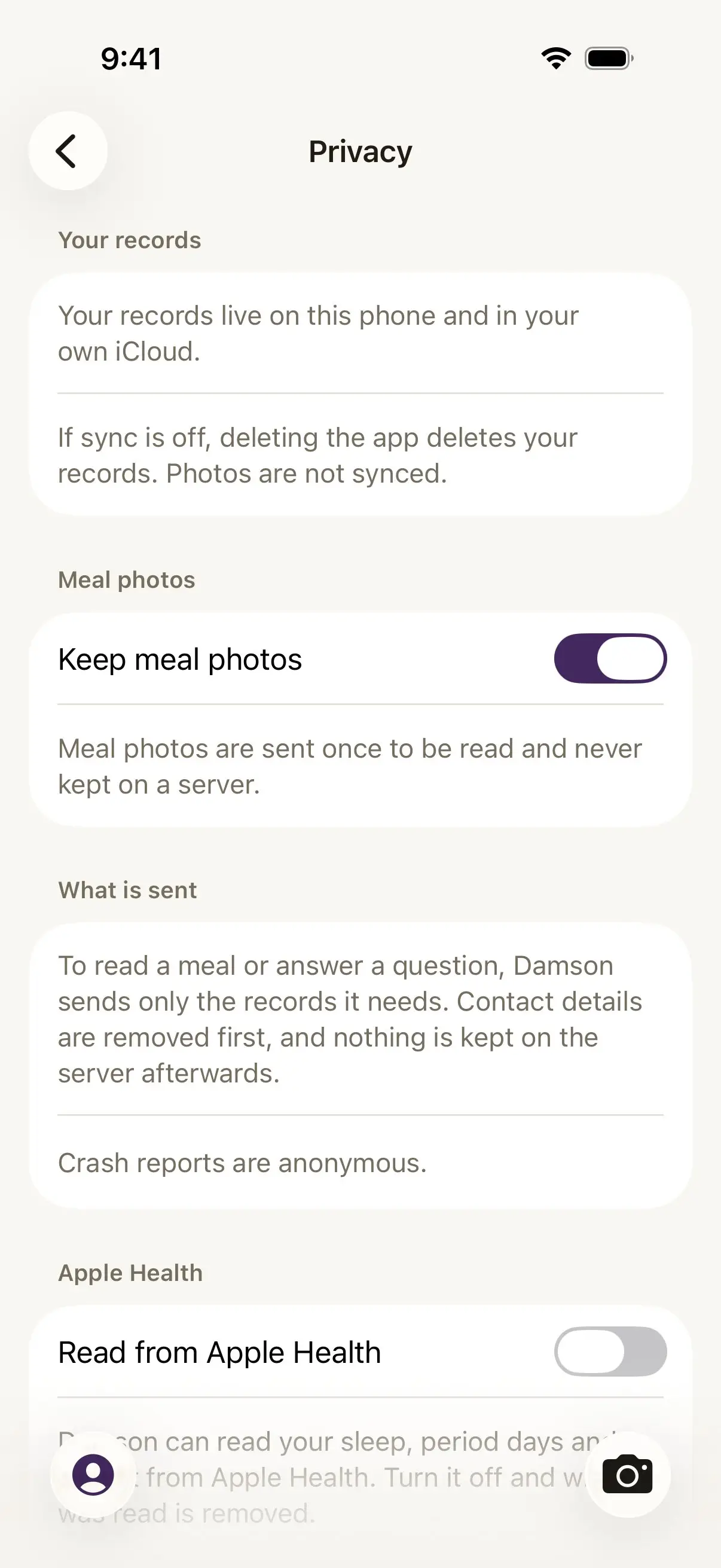
Damson's Privacy page in You. It says your records live on this phone and in your own iCloud, has a Keep meal photos switch, explains what is sent, and under Apple Health shows a Read from Apple Health switch with a note that Damson can read your sleep and period days there.

Questions about weight and waist

Is there a weight tracker for PCOS that also keeps my meals?

Damson, an iPhone app for PCOS, now also called PMOS, keeps your weight and waist in the same record as your meals, symptoms, cycle and medicines. Note a measurement when you want one and your own numbers appear on a chart, ready for your appointment.

Do I have to weigh myself every day?

No. Add a measurement when you want one, in kilograms or pounds and centimetres or inches, and the chart draws what you noted. A weight, a waist, or both: each entry can carry either.

Can Damson save my weight to Apple Health?

Yes, if you switch on Save weight to Apple Health on the weight screen. The same switch lets Damson show the weights Apple Health already holds, labelled as from Apple Health, so you can see them beside your own entries.

Does my weight go on the appointment page?

If you include it. The page shows your first and latest weight and waist in the period it covers, with their dates, so a conversation about weight starts from your own measurements.

Is the weight log free?

Yes, for good. Weight and waist are part of your record, and the record is free and stays free.