Damson

Search and describe

Search it, describe it, or write it yourself.

Not every meal is worth a photo, so Damson lets you find a food by name, type the meal in your own words, or write a food in yourself, and every one of them lands in the same record.

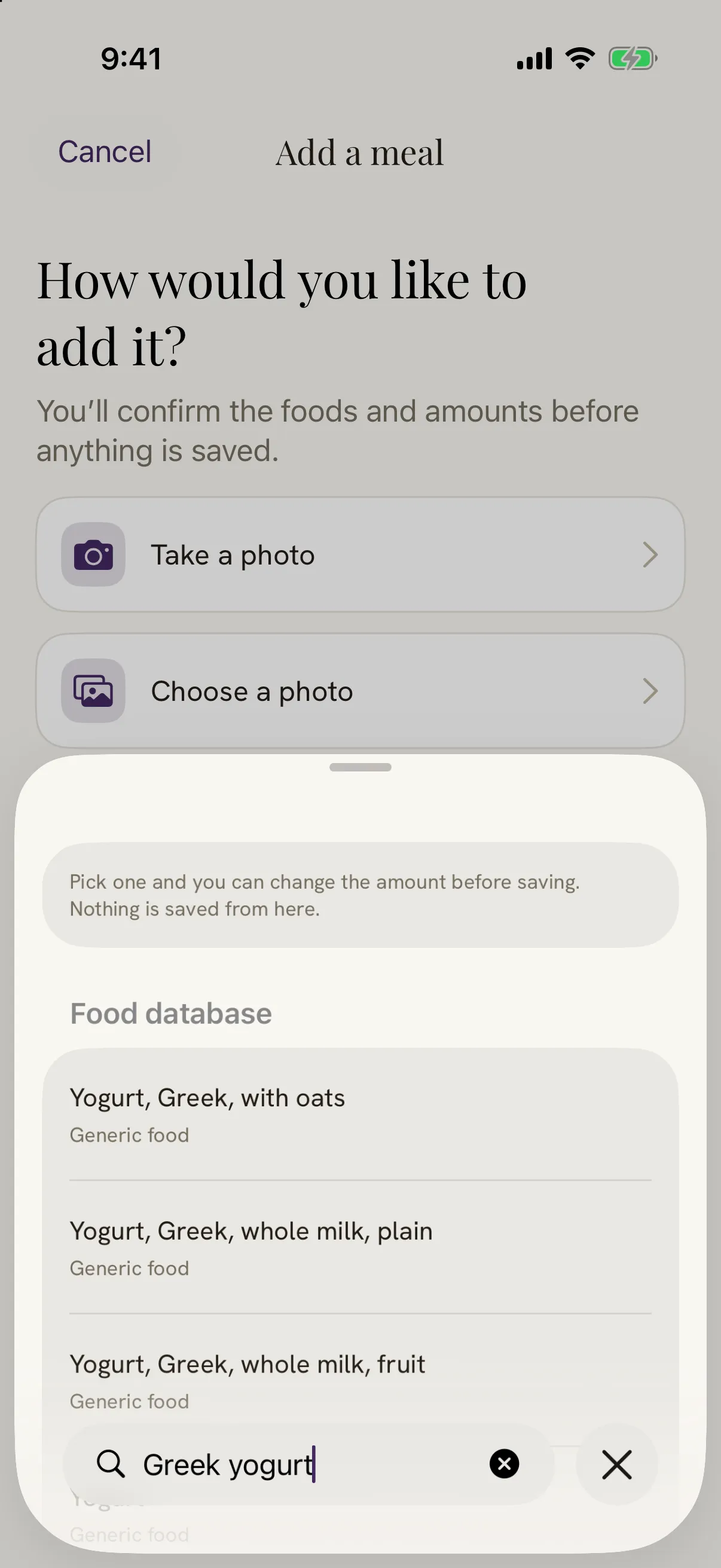
Damson's food search. The search field holds Greek yogurt, and the food database lists matches such as Greek yogurt with oats and whole milk plain Greek yogurt, each marked as a generic food. A note says pick one and you can change the amount before saving.

Real screens from the app, some with demo data.

Free to download, and the record is free to keep. No ads, and nothing to cancel later that you did not choose.

Download on the App Store

How do I search for a food?

Open Add a meal and choose Find a food. Type a name and the food database lists what matches; pick one and set the amount before you save. Foods you logged recently are kept, so the porridge you have most mornings is a single tap rather than a search.

If nothing in the database is quite right, write the food in yourself. A family recipe, a dish from a stall, a snack with no barcode: your record should hold what you ate, not the nearest thing a database happens to have. Search and writing a food yourself are free and unlimited, for everyone.
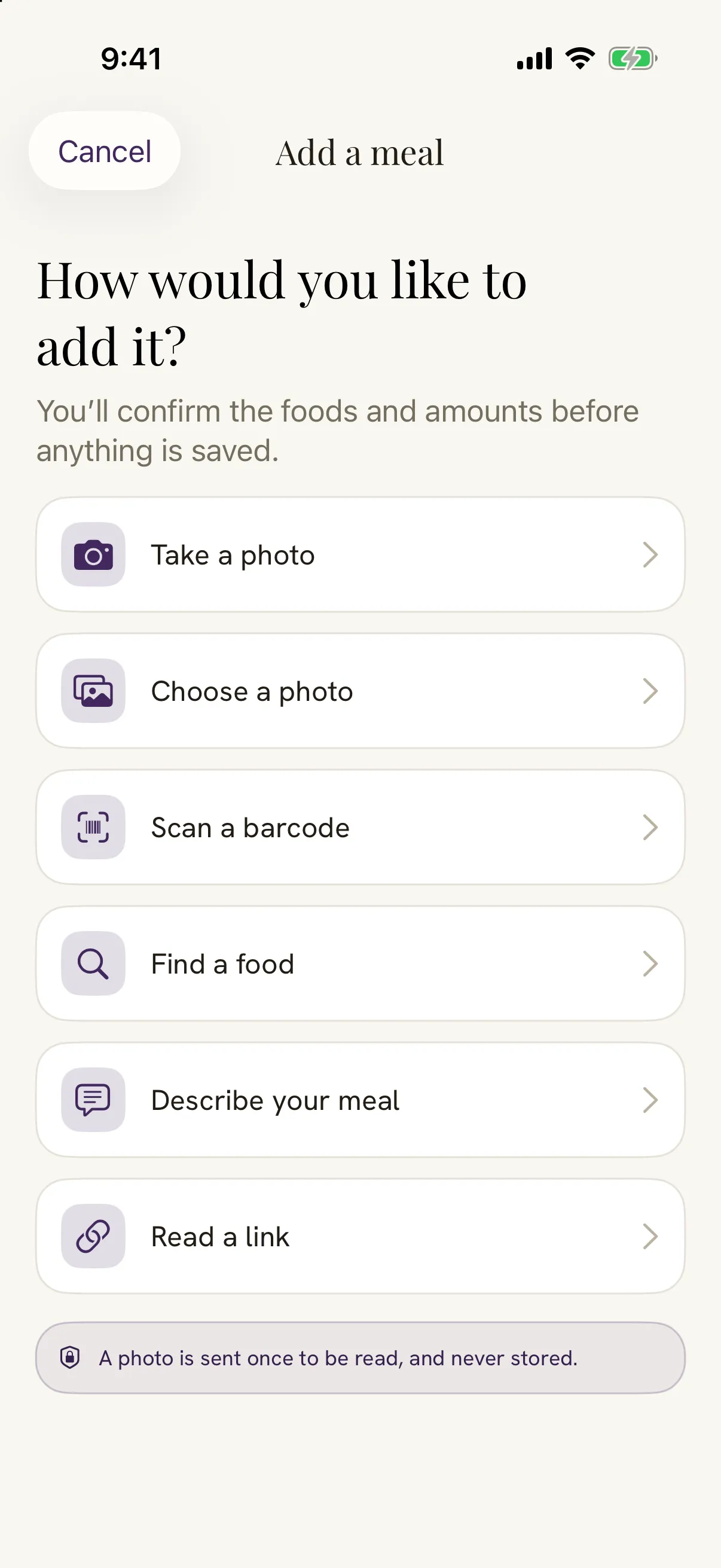
Damson's Add a meal screen, asking how you would like to add it. Find a food and describe your meal sit alongside take a photo, choose a photo, scan a barcode and read a link.

Can I just describe what I ate?

Yes. Choose Describe your meal and type it the way you would say it out loud: two eggs on toast with half an avocado, or the leftover dal from last night. Damson turns your words into foods and amounts, and you confirm each one, or change it, before anything is saved.

The saved meal gets the same read as a photographed plate, with the carbohydrate, protein, fibre and fat described in a few sentences. A described meal uses the daily read allowance, like a photo: one a day on the free plan, and no limit on the full Damson.

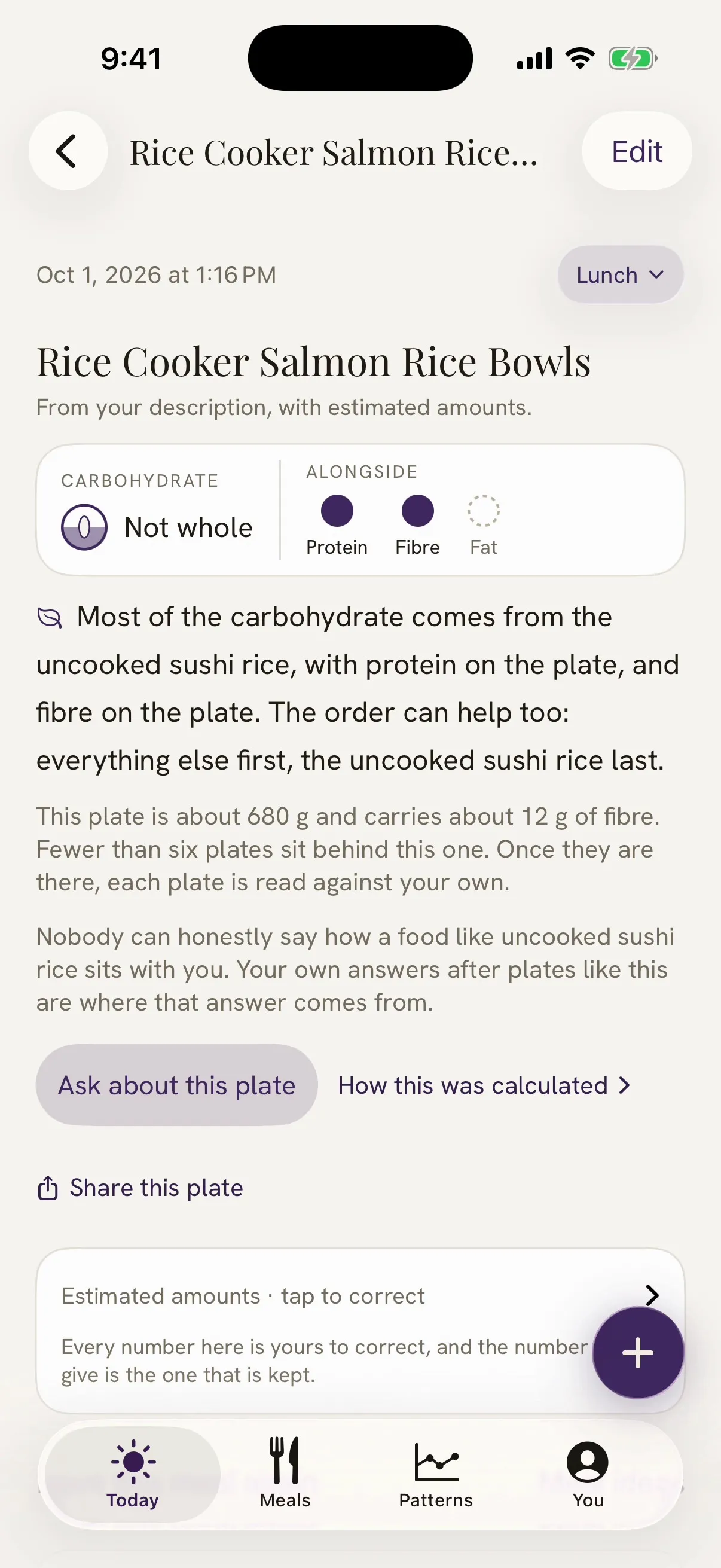
A meal saved in Damson from a description, marked from your description with estimated amounts. Under the title, the carbohydrate is marked not whole with protein and fibre alongside, and the read says most of the carbohydrate comes from the sushi rice. A box at the bottom says every number is yours to correct, and the number you give is the one that is kept.

A food diary for PCOS that does not need your camera

A food diary for PCOS, now also called PMOS, is only useful if you keep it. Reaching for the camera at every meal makes that harder, and so does being told off by an app. Damson asks for neither. It has no streaks, no scores and no calorie targets, and it never grades what you ate.

What it does ask, a few hours after a meal you logged, is one small question: how did it sit? Those answers, kept next to the meals, are the part of the record that is truly yours.

Questions about logging without a photo

Can I keep a PCOS food diary without taking photos?

Yes. In Damson you can find a food by name, type a meal in your own words, scan a barcode, or write a food in yourself. A photo is only one way in, and every way lands in the same record.

Is food search free?

Yes. Search, barcode and writing a food yourself are free and unlimited for everyone. Foods you logged recently are kept for one tap.

How does describing a meal work?

Type what you ate in your own words, the way you would say it to a friend. Damson turns it into foods and amounts, and you confirm or change each one before it is saved. A described meal uses the daily read allowance, the same as a photo.

Do I have to log every meal?

No. Damson has no streaks and no scores, and a day you skip is not a mistake. Log the meals you want in your record.

Can Damson remember the foods I eat often?

Yes. Foods you logged recently are kept for one tap, and you can save a food to your own foods so it is there the next time.